
 ChatGPT
 Perplexity
 Claude
 Google AI Mode
 Grok
Quick answer — how do you rank a product page?
A product page ranks when it does two jobs at once: it answers the exact search behind the product, in its own words, and it gives a shopper everything needed to buy — price and stock, real photos, honest reviews, and Product schema matching the page. One search per page, one unique description, links in from category and blog.
What must a product page do?
A product page has a harder job than a blog post: a blog post only has to earn a click, while a product page has to earn the click and the sale, on the same page, at the same time. That is why "add keywords" fails on stores — a page stuffed with keywords, a copied description, one blurry photo and no price in the search result does not rank well, and even when it does, shoppers leave.
Think of the page as three layers: what Google reads, what the shopper reads, and what connects it. Fix them in that order, starting with your best sellers.
How should the title and description be written?
One product, one search. Pick the phrase a buyer actually types: product type plus the detail that matters — brand, model, size, colour or material. "Men's waterproof hiking boots size 10" is a search. "Boots" is not a plan.
The title tag leads with that phrase, then the brand, at around 50–60 characters: "Waterproof Hiking Boots — Men's | [Brand]". Every product needs its own title — Google asks for unique, descriptive titles without the same boilerplate on every page. The meta description does not directly affect rankings, but it decides whether people click: 140–160 characters with what the product is, one benefit, one reason to click. The H1 is the product name itself, once. The URL should be short and stable — /shoes/waterproof-hiking-boots-mens, not /product/3243 — lowercase, hyphens, no session IDs.
Why copy the description in your own words?
This is where most stores lose: if your description is the manufacturer's text, the same words are on every store, and Google usually picks one of the others. Duplicates rarely cause a penalty, but they give Google no reason to choose your page.
Write your own from the product facts: who it is for, what problem it solves, measurements, materials, compatibility, care, what is in the box and what is not. Add the honest limits — "not suitable for dishwashers", "runs small, order one size up" — limits build trust and cut returns. Aim for at least 150–200 words of your own copy, then add three to five FAQs from questions customers actually email you about.
What do images and video need to do?
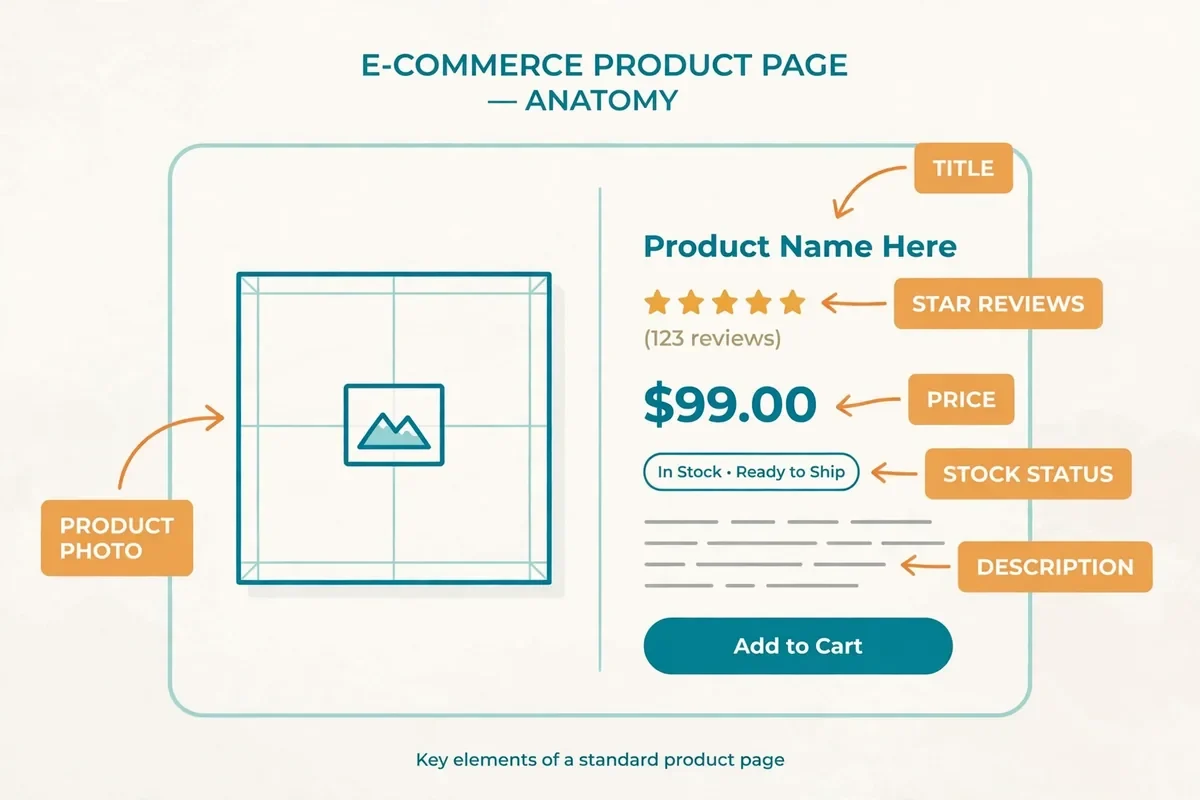
On a product page, images are not decoration; they are the product. Shoppers cannot pick it up, so photos must do the work: the product on its own, in use, from the angles that answer doubts, large enough to zoom in. Five or more images tend to convert better than one.
For SEO, three rules matter. First, compress the files: large photos are the most common cause of slow product pages, and speed is a ranking and conversion factor. Use WebP, serve the right size per device, lazy-load below the fold. Second, use descriptive file names: blue-merino-wool-sweater-front.webp, not IMG_4821.jpg. Third, write alt text describing what the image shows. Your own photos beat manufacturer photos, as your own description beats manufacturer copy.
How do price, stock and reviews work for SEO?
Price, availability and reviews are the facts a shopper checks first, and the facts Google shows in the search result. Show the price clearly, with discount and currency. Show stock honestly: in stock, low stock, out of stock, or pre-order. Show reviews on the page itself — rating, count, real customers' words.
Reviews give shoppers a reason to trust the page, and fresh text no other store has. Ask for reviews after delivery, reply to the bad ones in public, and never invent, copy or hide reviews. A page with only five-star reviews looks less trustworthy than one with a 4.6 average and a few honest complaints.
What is Product schema, and what must it match?
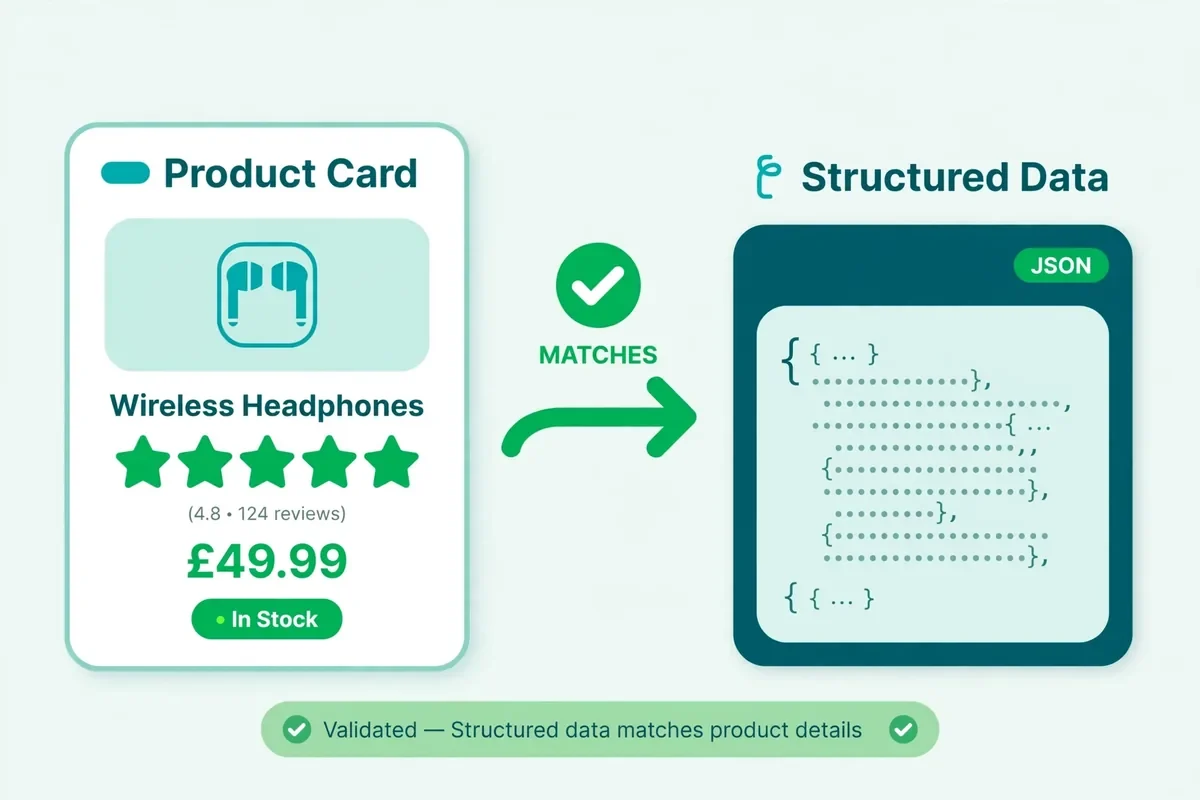
Product structured data is JSON-LD markup — a Product object with a nested Offer, optionally AggregateRating or Review — giving Google price, availability and ratings in a form it can drop into a rich result. Valid markup only makes the page eligible; it guarantees no rich result, ranking or traffic.
Google splits product markup into two features: merchant listings need Product.name, Product.image, and an Offer with price and priceCurrency (price above zero); product snippets need Product.name plus one of offers, review or aggregateRating. For a store, target merchant listings.
The rule that matters most is parity. Every value in the markup must match what a shopper sees — same price, currency and availability, and ratings genuinely visible on the page. Marking up $39.95 while the page shows $49.95 is a violation, not a shortcut, and risks losing eligibility or a manual action. Only mark up real, on-page review data from your own customers. Generate the markup from the same data that renders the page, update it whenever price, stock or ratings change, and test the live page with Google's Rich Results Test. Many platforms add Product markup automatically — check before adding a second block.
How should product pages link to each other?
A product page with no internal links is harder for Google to find. Its ecommerce guidance asks for crawlable links from category to subcategory to product, every product linked from at least one category, best sellers from the homepage.
Category pages link down to their products with plain links. Products link back up through breadcrumbs, and sideways to related products. Buying guides and blog posts link to the products they mention, with anchor text naming the product, not "click here". The product page links out to shipping, returns, size guide and its category. Link best sellers first; let the template handle the rest.
What do you do with out-of-stock and discontinued products?
This is where stores throw away rankings they already earned — and the handling depends on whether the product is coming back.
Temporarily out of stock: keep the page live with a 200 status, mark it out of stock on the page and in the markup (availability becomes OutOfStock), and offer a back-in-stock alert or alternatives. Do not noindex or delete it — either throws away rankings and links already earned.
Discontinued, with a direct replacement: 301 redirect to it. With no replacement: redirect to the closest category, or keep the page live with a clear "discontinued" note and links to alternatives if it still helps people — manuals, spare parts. Never send old products to the homepage.
For variants, Google wants a ProductGroup with hasVariant, so SKUs read as one product family. Empty categories should carry a noindex robots meta tag.
How do you measure product page SEO?
Measure the sale, not just the ranking: a page can rank first and still not sell. In Search Console, watch clicks and impressions by landing page against the same page's sales — sessions, add-to-carts, orders, revenue. The gap between clicks and orders is where the page work lives.
Check monthly, per page: which gained clicks, which have impressions but no clicks — usually a title, price or review problem — and which have clicks but no orders, usually a photo, price or trust problem. In Merchant Center, price, currency and availability must agree with the page. And run the same buyer questions through ChatGPT, Perplexity and Google once a month, as the GEO pillar describes, to see whether your product pages are cited.
Common mistakes
- Copying the manufacturer's description. The same text is on every store, and Google usually shows someone else.
- One title template for every variant. Identical titles across colours and sizes.
- Markup that disagrees with the page. A different price, stale stock, or ratings not on the page.
- One photo, 5 MB, no alt text. Slow, invisible to image search, useless to shoppers.
- Deleting out-of-stock pages. The rankings and links go with them.
- No internal links. A product linked from nowhere may never be found.
- Hiding the price or the reviews. The two facts shoppers check first, buried below the fold.
Checklist: one product page, in order
- One search, named? Product type plus brand, model, size, colour or material.
- Title and description unique? 50–60 characters for the title, 140–160 for the description, for this product only.
- Description in your own words? At least 150–200 words of your own copy.
- Images that sell? Five or more of your own photos, WebP, descriptive file names and alt text.
- Price, stock and reviews visible? All three, above the fold, honest.
- Product schema matching the page? Name, image, Offer, availability, real on-page ratings only.
- Tested? Rich Results Test on the live page; Search Console checked for errors.
- Linked in? From its category, related products, and one buying guide or blog post.
- Stock handled? Out of stock kept live; discontinued redirected to a replacement or closest category.
- Measured? Clicks, orders and revenue per page, monthly.

Frequently asked questions
Does a product page need its own title and description?
Yes — a unique title tag and meta description per product. A shared template leaves pages identical.
Do duplicate product descriptions hurt SEO?
Rarely a penalty — but your page becomes one of many identical copies, and Google usually shows another store.
Should I mark up reviews I do not show on the page?
No — only ratings and reviews visible on the page, from your own customers. Hidden, borrowed or invented ratings violate Google's review guidelines.
What should I do with an out-of-stock product page?
If it is coming back, keep it live, mark it out of stock, and offer a restock alert or alternatives. Redirect only when it is permanently discontinued.
Is Product schema enough to get rich results?
No — valid schema only makes a page eligible for merchant listings and snippets. Price, availability and ratings must match the visible page.
What to do next
Start with your ten best sellers: unique title and description, your own words and photos, Product schema matching the page, linked in from their categories and one buying guide each. Measure for a month before the next ten.
Every engagement starts with a free audit. Request one — it includes a product-page check on your best sellers, plus the out-of-stock pages quietly losing you rankings.

Abu Hosain
Digital Marketing Strategist & White-Hat SEO Expert — 7+ years helping businesses worldwide grow with SEO, AEO and GEO.