
 ChatGPT
 Perplexity
 Claude
 Google AI Mode
 Grok
Quick answer — how to appear in Google AI Overviews
To appear in a Google AI Overview, your page must be indexed by Google and eligible to show a snippet, and your site must be included in Search generative AI features in Search Console. Beyond that there is no extra requirement, no special file, and no special markup — and no one can guarantee you will be picked.
What is a Google AI Overview, and where does it show?
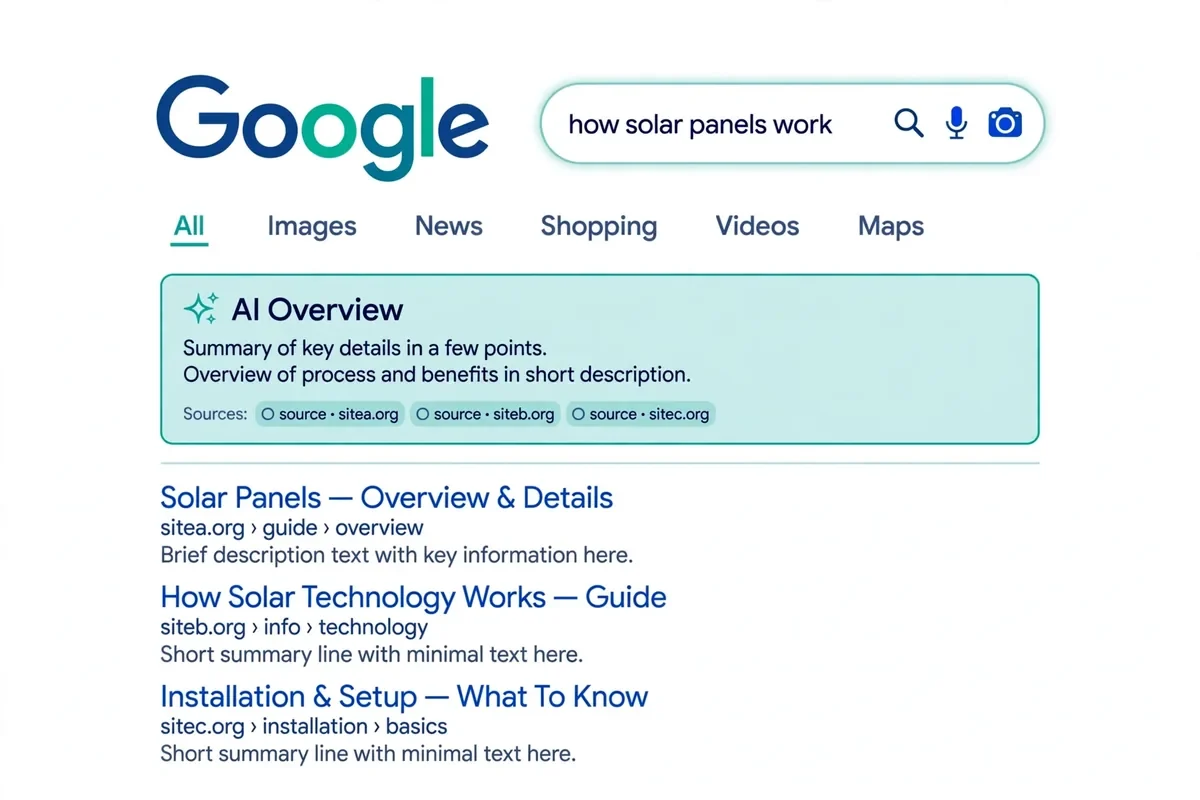
An AI Overview is the short, AI-written summary Google shows at the top of some search results pages. It answers the question in a few paragraphs and links to a small number of source pages underneath — the pages it drew on.
It does not show for every search. Google says AI Overviews appear only when its systems judge them additive to the classic results, and they often do not trigger at all. They show most often for informational, question-led searches, and far less for short, navigational searches such as a brand name.
AI Mode is a separate search mode, and Google says the two may use different models, so their answers and links can differ for the same question. Almost everything here applies to AI Mode too.
Why it matters: Pew Research Center tracked 900 US adults across 68,879 Google searches in March 2025. When an AI summary appeared, people clicked a traditional result on just 8% of visits, against 15% with no summary — and clicked a link inside the summary on only 1%. Ahrefs, comparing 300,000 keywords, found the top-ranked page's click-through rate was about 58% lower than expected when an AI Overview appeared, in February 2026. Those are measures of clicks on particular samples, not a forecast for your site.
Are you eligible? The three checks Google actually sets
First, the page must be indexed. Googlebot must be able to reach it, the page must return a 200 status, and it must have indexable content. Check it in Search Console's URL Inspection tool.
Second, the page must be eligible to show a snippet. That means no noindex, no nosnippet, and no max-snippet:0 on the page you want cited.
Third, your site must be included in Search generative AI features in Search Console, under Settings > Search generative AI. Include is the default, and the control reached all websites on 31 August 2026. If someone changed it to Exclude, your links and content are removed from AI Overviews, AI Mode and Discover's AI features.
Google's own words: "There are no additional requirements to appear in AI Overviews or AI Mode, nor other special optimizations necessary."

The playbook, step by step
Step 1 — Let Googlebot in, and get the page indexed
Check robots.txt and your host or CDN: a firewall rule can block Googlebot even when robots.txt looks fine. Then check the page in URL Inspection. If it is not indexed, fix the cause first: a crawl block, a noindex tag, an error page, or almost no indexable content.
Step 2 — Check the snippet controls before you write a word
Open the page source and search for "robots". noindex removes the page from Search entirely, and so from AI features. nosnippet means no snippet anywhere in Search, and the content is not used as a direct input to AI Overviews or AI Mode. max-snippet:0 has the same effect, and a small max-snippet number caps how much can be used. data-nosnippet hides just the marked part of a page from snippets — check it is not hiding your main answer. The same rules can also be sent as an X-Robots-Tag header, which you will not see in the source; your developer or host can tell you.
Step 3 — Answer one question per page, in plain text
Google's systems use query fan-out: one question is broken into related sub-questions, and a page that answers one precise sub-question can be cited without ranking for the main query. Ahrefs found in March 2026 that only 38% of AI Overview citations came from pages in the organic top 10, down from 76% in July 2025. So pick one question per page, name it in the heading, and answer it in the first two sentences. Keep the answer in text, not only in an image or a video — Google's systems need text to quote. Cover the follow-up questions on the same page, each under its own heading.
Step 4 — Give Google something quotable
The pages that get linked tend to carry facts Google can quote and attribute: a number, a quotation, a named study, a price, a date, a named person. Replace "many businesses" with a real, sourced figure. Name the source and link to it. The Princeton GEO study found that adding quotations, statistics and cited sources raised a page's share of an AI answer by roughly 30–40% in the lab, while keyword stuffing did worse than nothing. Those figures measure share of an answer's text, not traffic.
Step 5 — Make it clear who you are
Name the author, with credentials. Use the same business name, address and services on your site, your Google Business Profile, LinkedIn and directories.
Step 6 — Link the page into your site
Google lists internal links as part of the basics that stay worthwhile for AI features. Link each important page from a relevant guide or service page — not only from the sitemap — and link back from the new page to the pillar it belongs to.
What blocks you — the short list
If a page never appears in AI Overviews, work through this list in order before rewriting anything: not indexed — check URL Inspection and fix the crawl or indexation cause; snippet blocked — noindex, nosnippet or max-snippet:0, or data-nosnippet hiding the key passage; site excluded in Search Console — Settings > Search generative AI set to Exclude, when Include is the default; Googlebot blocked — robots.txt, a CDN rule, or a firewall keeping Googlebot out; no indexable text — the answer lives only in an image, a video, or a script-loaded block Google cannot read; nothing worth quoting — a page that repeats what every other page says, with no number, quotation, named source or original point of view.
How to measure it
Measure the citation itself, not rankings alone: a page can be cited without ranking in the top 10, and can rank first without being cited.
Search Console's Generative AI report. Since 31 August 2026 every site has one. It shows impressions in AI Overviews and AI Mode, by page, country, device and date. An AI Overview counts as one position in the Performance report, and every link inside it is given that position. Check it monthly, and look at which pages are gaining impressions.
A small prompt panel. Keep a fixed list of 20–30 questions your buyers actually ask, and run them in Google on the same day each month. Note for each one: did an AI Overview appear, and was your page linked?
Myths to stop paying for
Google's May 2026 guide has a mythbusting section. llms.txt: Google Search ignores llms.txt files. Special "AI schema": there is no special schema.org structured data to add; standard Article and FAQPage schema that matches the visible text is enough. Chunking content into tiny pieces, or rewriting it just for AI: Google lists both as things to ignore. Chasing inauthentic mentions: seeking mentions you did not earn is, in Google's words, not likely to be helpful — and it breaks the white-hat rule this site works by. A paid package that guarantees a citation: Google says no third-party tool has access to its internal ranking or AI systems.
Checklist: one page, ten minutes
- Indexed? URL Inspection says the page is on Google.
- Googlebot allowed? robots.txt and your CDN or host do not block it.
- Snippet allowed? No noindex, nosnippet or max-snippet:0, and no data-nosnippet hiding the answer.
- Site included? Search Console > Settings > Search generative AI is set to Include.
- One question, answered first? The heading asks it; the first two sentences answer it.
- Quotable? At least one number, quotation or named source on the page.
- Identifiable? Named author, credentials, and consistent business facts.
- Linked in? The page is linked from a relevant guide or service page.
- Measured? The page is in your Generative AI report watchlist and your monthly prompt panel.
- Honest? No claim in the article promises a citation or a ranking.
Frequently asked questions
How long does it take to appear in a Google AI Overview?
Snippet fixes can make a page eligible within days, once Google re-crawls it. Being picked is slower: citations build over weeks to months. A realistic first checkpoint is a 90-day comparison in the Generative AI report.
Do I need to rank number one to be cited in an AI Overview?
No. Ahrefs found in March 2026 that only 38% of AI Overview citations came from pages in the organic top 10, down from 76% in July 2025. A page that answers one precise sub-question can be cited without ranking for the main query.
Can I opt out of AI Overviews?
Yes. Set your site to Exclude in Search Console under Settings > Search generative AI. Or use nosnippet on a page.
Does blocking Google-Extended keep me out of AI Overviews?
No. Google-Extended controls whether content Google crawls may be used for Gemini model training and grounding in some other Google systems. The controls that matter are Googlebot access and the snippet controls.
Is appearing in AI Overviews the same as appearing in AI Mode?
No. AI Overviews are summaries on a normal results page; AI Mode is a separate search mode. Google says they may use different models and techniques, so their answers and links can differ for the same question.
What is the difference between AI Overviews and a featured snippet?
A featured snippet lifts one passage from one page. An AI Overview synthesises an answer from several pages and links to each of them. The Overview also needs the source work: quotable facts, named sources and a recognisable entity.
What to do next
Do the checks in order: get indexed, allow the snippet, confirm the site is included, then make the page answer-first and quotable. Already ranking but never cited? Your problem is almost certainly the source, not the ranking.
Every engagement starts with a free audit. Request one — it now includes an AI-visibility check: crawler access, Bing and Google indexation, and a 10-prompt citation test.

Abu Hosain
Digital Marketing Strategist & White-Hat SEO Expert — 7+ years helping businesses worldwide grow with SEO, AEO and GEO.